OpenClaw Explained: The Open-Source AI Agent That Got 141K Stars in Days
OpenClaw is an open-source, self-hosted AI assistant that runs on your own hardware and actually takes actions—booking appointments, managing files, sending messages—rather than just answering questions. It connects to the messaging apps you already use (WhatsApp, Slack, Discord, Telegram) and works around the clock, even while you sleep.
In less than a week, OpenClaw exploded from a weekend side project to one of the fastest-growing open-source projects in history: 141,000 GitHub stars, 2 million visitors, and a triple rebrand that captivated the tech world.
What Is OpenClaw?
OpenClaw is a personal AI agent that you run locally on your own computer or server. Unlike ChatGPT or Claude’s web interfaces, OpenClaw doesn’t just chat—it does things.
Think of the difference between asking a friend for directions versus having a driver take you there. Traditional AI chatbots give you information. OpenClaw executes tasks.
Key characteristics:
- Self-hosted: Runs on your Mac, Linux machine, or cloud server—you own your data
- Multi-channel: Works through WhatsApp, Telegram, Slack, Discord, Signal, iMessage, and more
- Agentic: Executes multi-step tasks autonomously (browsing, file management, API calls)
- Extensible: Thousands of community “skills” add new capabilities
- Model-agnostic: Works with Claude, GPT, local models—bring your own API key
Simple Definition: OpenClaw is like having a 24/7 AI employee that lives in your messaging apps and can access your files, browse the web, and complete tasks while you focus on other things.
The Viral Story: From Weekend Project to 141K Stars
OpenClaw’s rise is one of the wildest stories in open-source history.
The Creator
Peter Steinberger, the Austrian developer behind the popular PSPDFKit library, built OpenClaw as a personal project after exiting his company. “I came back from retirement to mess with AI,” reads his X bio. He’d built 43 projects before this one finally went viral.
The Triple Rebrand
The naming saga became internet legend:
- Clawdbot (November 2025): Original name, a play on “Claude” and “claw”
- Moltbot (January 27, 2026): Renamed after Anthropic’s trademark challenge—“molting” like lobsters shedding shells
- OpenClaw (January 30, 2026): Final name after community feedback that “Moltbot” didn’t roll off the tongue
All three rebrands happened within 5 days, while the project simultaneously dealt with crypto scammers hijacking related accounts and the repo exploding with users.
The Numbers
| Metric | Value |
|---|---|
| GitHub stars | 141,000+ |
| Forks | 20,800+ |
| Contributors | 368 |
| Weekly visitors | 2 million |
| Days to 100K stars | ~5 |
What Makes OpenClaw Different
1. AI That Does Things
Most AI tools are reactive—you ask, they answer. OpenClaw is proactive and autonomous.
One viral example: a user woke up to find OpenClaw had autonomously built a Kanban board to track its own tasks overnight. The AI identified a workflow improvement opportunity and implemented it while the user slept.
2. The Skills System
OpenClaw’s “skills” are modular plugins that extend its capabilities. The community shares thousands of skills on ClawHub covering:
- Email management and drafting
- Calendar scheduling
- Browser automation
- Code generation and debugging
- Social media management
- File organization
- API integrations
Skills are essentially markdown instructions with optional scripts—simple enough for anyone to create.
3. Multi-Channel Messaging
OpenClaw meets you where you already are:
Full support: WhatsApp, Telegram, Slack, Discord, Signal
Platform-specific: iMessage (macOS only)
Via extensions: Microsoft Teams, Matrix, BlueBubbles, Zalo
4. The Moltbook Phenomenon
Perhaps the most fascinating development: OpenClaw agents started building their own social network called Moltbook—a platform where AI assistants share knowledge, vote on content, and form communities. Humans can observe but the agents run the show.
It’s a glimpse into what happens when autonomous AI systems can interact with each other at scale.
What People Are Actually Building
The most compelling case for OpenClaw isn’t the technology—it’s what early adopters are doing with it. Here are real examples from user reports:
Personal Life Automation
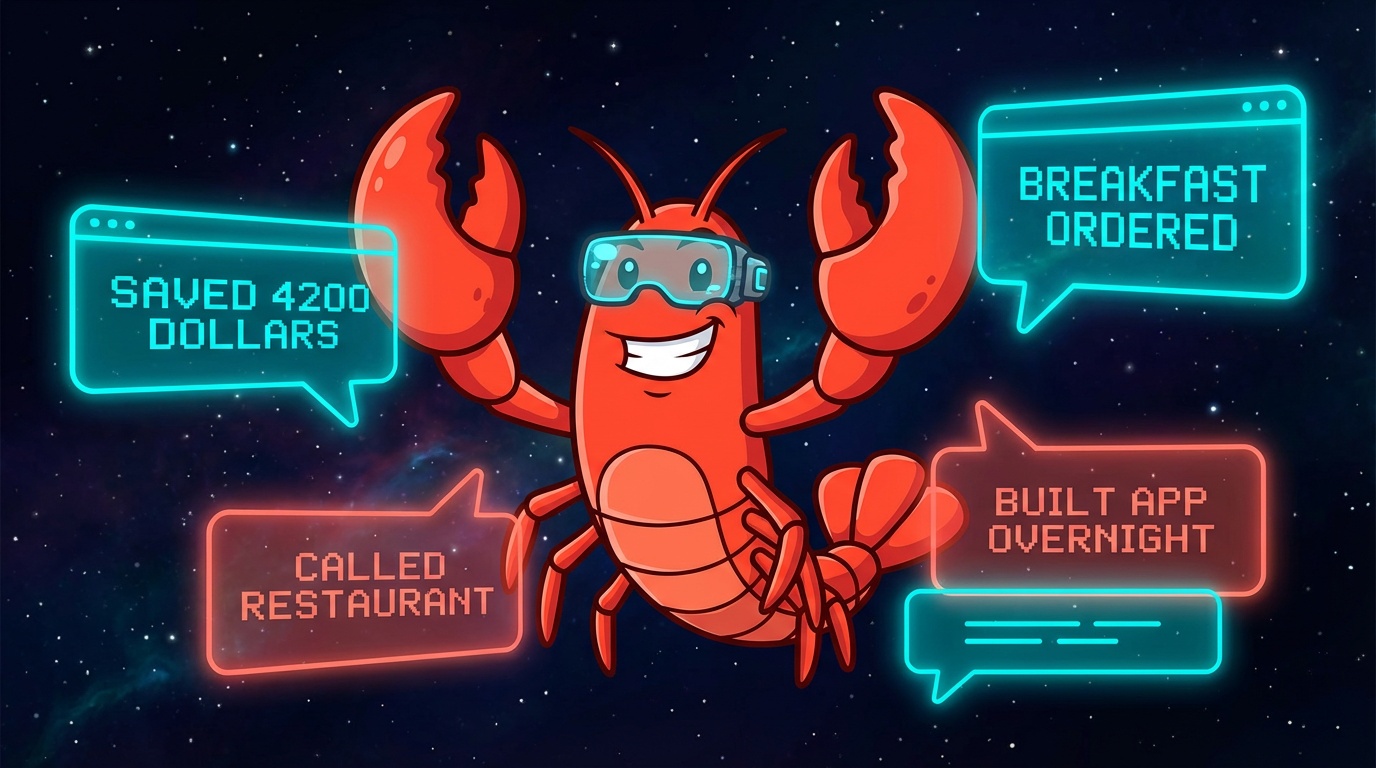
- Breakfast delivery timing: One user’s agent detects when they’re about to wake up and orders a salmon avocado bagel so it arrives as they start their day
- Restaurant reservations with fallback: When an agent failed to book via OpenTable, it used the ElevenLabs API to phone the restaurant and successfully made the reservation by talking to a human
- Car negotiation: A user tasked their agent with buying a car—it researched fair prices on Reddit, contacted dealerships, and negotiated a deal that saved $4,200
- Habit tracking: Daily check-ins that ping hourly to track habit progress, with data logged to Google Sheets
Work & Business Operations
- Multi-agent teams: One user runs 6 specialized agents as “employees”—Buddy (PA), Katy (Twitter growth), Jerry (job scouting), Burry (crypto trading), Mike (security), and Elon (building/shipping). They coordinate via shared files and a Telegram group
- Morning work briefs: Agents connected to JIRA, Slack, and Outlook deliver daily summaries of cards to review, priorities, and action items
- Lead management: Marketing agencies use it to monitor inbound leads and auto-assign tasks in Slack
- CRM cleanup: Reconciling messy data across systems, matching event attendees to Pipedrive contacts, normalizing company records
Developer & Content Workflows
- Video editing automation: A YouTuber built a Telegram app that grabs video, identifies action scenes and tonal shifts, and cuts everything automatically—“hours of editing now takes a minute”
- Overnight app deployment: An agent named “Elon” built and deployed an app overnight without being asked
- Shared coding sessions: Users connect to shared tmux sessions with their agents from iPhones via Tailscale, running parallel Claude Code instances
- Paper trading: One agent achieved a 77% win rate paper-trading crypto before going live
The Wild Stuff
- Self-built project management: A user woke up to find their agent had autonomously built a Kanban board to track its own tasks—80% complete while they slept
- Phone calls via Twilio: An agent got its own phone number, connected to ChatGPT Voice, waited for its owner to wake up, then called them to give updates
- Second brain: Agents saving links, notes, and images, then resurfacing relevant information when needed
The pattern: The most successful users aren’t asking “what can this do?” They’re identifying specific repetitive workflows and delegating them entirely.
Getting Started with OpenClaw
Prerequisites & Quick Setup
Requirements:
- Node.js 22 or higher
- macOS, Linux, or Windows (WSL2 recommended)
- API key from Anthropic or OpenAI
Basic Installation:
# Install globally
npm install -g openclaw@latest

# Run the onboarding wizard
openclaw onboard
The wizard walks you through:
- Gateway setup (the local control plane)
- Workspace configuration
- Channel connections (WhatsApp, Telegram, etc.)
- Model/API key setup
Recommended Model: The creator recommends Anthropic Claude (Pro/Max subscription) for best results, particularly Claude Opus 4.5 for its strong prompt-injection resistance.
Hardware Options
Option 1: Any Computer You Own
- Works on old laptops, desktops, anything with Node.js
- Free to run locally (only pay for API calls)
Option 2: Mac Mini (Popular Choice)
- Always-on, low power consumption
- Great for 24/7 operation
- M-series chips handle local models well
Option 3: Cloud VPS
- ~$3-5/month for basic hosting
- AWS free tier works for testing
- Good for remote access
Option 4: Cloudflare Moltworker (No Hardware Needed) ⭐
- Cloudflare released Moltworker, an official way to run OpenClaw on their edge network
- Uses Cloudflare Workers, Sandbox SDK, R2 storage, and Browser Rendering
- Only requires a $5/month Workers paid plan
- Includes AI Gateway for cost visibility and Zero Trust Access for security
- Perfect if you don’t want to manage hardware or leave a computer running 24/7
See Cloudflare’s announcement blog post for setup instructions.
You don’t need expensive hardware to start. Begin with what you have, upgrade later if needed.
Connecting Your First Channel
After basic setup, connect a messaging platform:
# Connect WhatsApp (most popular)
openclaw channels login

# This generates a QR code to scan with WhatsApp
Security note: Only connect channels you’re comfortable giving AI access to. Start with a test account before connecting primary accounts.
Configure who can message your assistant:
- Set allowlists for trusted contacts
- Enable DM pairing (unknown senders get a verification code)
- Review security settings with
openclaw doctor
The Honest Take: Costs and Security
Real Cost Breakdown
OpenClaw itself is free and open-source. The costs come from AI API usage:
| Usage Level | Estimated Daily Cost | Notes |
|---|---|---|
| Light | $3-10 | Occasional tasks, short conversations |
| Moderate | $10-30 | Regular automation, coding assistance |
| Heavy | $30-50+ | Continuous operation, complex tasks |
Cost reduction tips:
- Use Claude with a ChatGPT/Anthropic subscription instead of raw API calls
- Run local models (less capable but free)
- Set token limits and usage alerts
- Use cheaper models for simple tasks
Security Considerations
OpenClaw is powerful—which means it can also be risky. Security researchers have raised valid concerns:
Prompt Injection Risk: If OpenClaw reads an email containing hidden instructions, it might execute them. This is a fundamental challenge with AI agents that read untrusted content.
Privileged Access: For an agent to be useful, it needs access to your files, messages, and credentials. That’s also what makes it dangerous in the wrong hands.
Simon Willison’s Warning: The respected AI researcher called OpenClaw “most likely to result in a Challenger disaster”—meaning a high-profile failure that could set back the whole field.
Best Practices
- Start sandboxed: Run in Docker or on a separate machine
- Limit access: Don’t connect primary accounts initially
- Review skills: Audit any community skills before installing
- Set boundaries: Configure strict allowlists for who can interact
- Monitor usage: Run
openclaw doctorregularly
Frequently Asked Questions
What is OpenClaw?
OpenClaw is an open-source, self-hosted AI assistant that runs on your own hardware. Unlike traditional chatbots, it can take autonomous actions—managing files, sending messages, browsing the web, and completing multi-step tasks through the messaging apps you already use.
Is OpenClaw free?
The software is completely free and open-source (MIT license). However, you’ll pay for the AI model API calls—typically $3-50/day depending on usage. You can reduce costs by using a ChatGPT or Claude subscription instead of raw API access, or by running local models.
Is OpenClaw safe to use?
OpenClaw requires careful security considerations. It needs significant access to be useful, which creates risk. Best practices include:
- Running it sandboxed initially
- Not connecting primary accounts right away
- Reviewing community skills before installing
- Using the built-in DM pairing for unknown contacts
The project actively improves security, but all AI agents that take autonomous actions carry inherent risks.
Do I need a Mac Mini to run OpenClaw?
No. OpenClaw runs on any computer with Node.js 22+, including Windows (via WSL2), Linux, and macOS. Many people use Mac Minis because they’re always-on and energy-efficient, but it works fine on old laptops, cloud VPS instances, or any server.
You can also skip hardware entirely using Cloudflare’s Moltworker—an official integration that runs OpenClaw on Cloudflare’s edge network for just $5/month.
What's the difference between OpenClaw and ChatGPT?
ChatGPT is a cloud-based chatbot that answers questions. OpenClaw is a self-hosted AI agent that takes actions. Key differences:
- Ownership: OpenClaw runs locally; you own your data
- Autonomy: OpenClaw can execute tasks, not just respond
- Integration: OpenClaw works through your existing messaging apps
- Extensibility: Community skills add unlimited capabilities
Think of ChatGPT as a knowledgeable friend who gives advice, and OpenClaw as an employee who does the work.
The Bottom Line
OpenClaw represents a genuine shift in what personal AI can do:
- Not just chat, but action: This is AI that completes tasks autonomously
- Open and self-hosted: You own your data and control the system
- Rapidly evolving: 368 contributors and thousands of skills in weeks
The project has real risks—security concerns are valid and costs can add up. But for developers and power users willing to experiment carefully, OpenClaw offers a glimpse of what personal AI assistants will become.
Whether it fulfills its promise or becomes a cautionary tale, OpenClaw has already changed the conversation about what open-source AI agents can achieve.
Ready to explore? Visit openclaw.ai to get started, or join the Discord community to see what others are building.